Storing Uploaded Files and Serving Them in Express
I like making things with code. This is where I share my projects and the bugs I ran into.
My Mac has 256 GB of storage, and honestly that is very, very less. Windows laptops usually ship with a 1 TB drive out of the box, that is the one perk Windows folks genuinely have. But bas, that one, because everything else is exactly why most developers pick a Mac, you already know the whole debate. Anyway, my 256 GB was almost gone, sitting at nearly 255 GB full with my projects, my private photos and videos, documents, applications, sab kuch.
And I had no idea, until one day a friend shared an important file on WhatsApp, around 2 GB, and it just refused to download. My internet is 500 Mbps, so speed was clearly not the issue. Then I checked, and there it was, mera storage full pada tha. That was the wake-up call.
So I did a proper cleanup. I moved all my personal stuff, photos, videos, docs, everything except my coding work, to Google Photos and Google Drive, where I have a big cloud plan, around 5 TB, which I can even share with my family. My code went to iCloud, where I upgraded to a paid plan, and some older projects went to GitHub. After a safe backup and then deleting the local copies, my Mac now sits at just 100 GB out of 256. Sukoon aa gaya. And whenever I need a personal file now, I just open Drive or Photos, go into the exact folder, and unlock it with my Mac passkey, which works in under a second, with Google Authenticator as a backup.
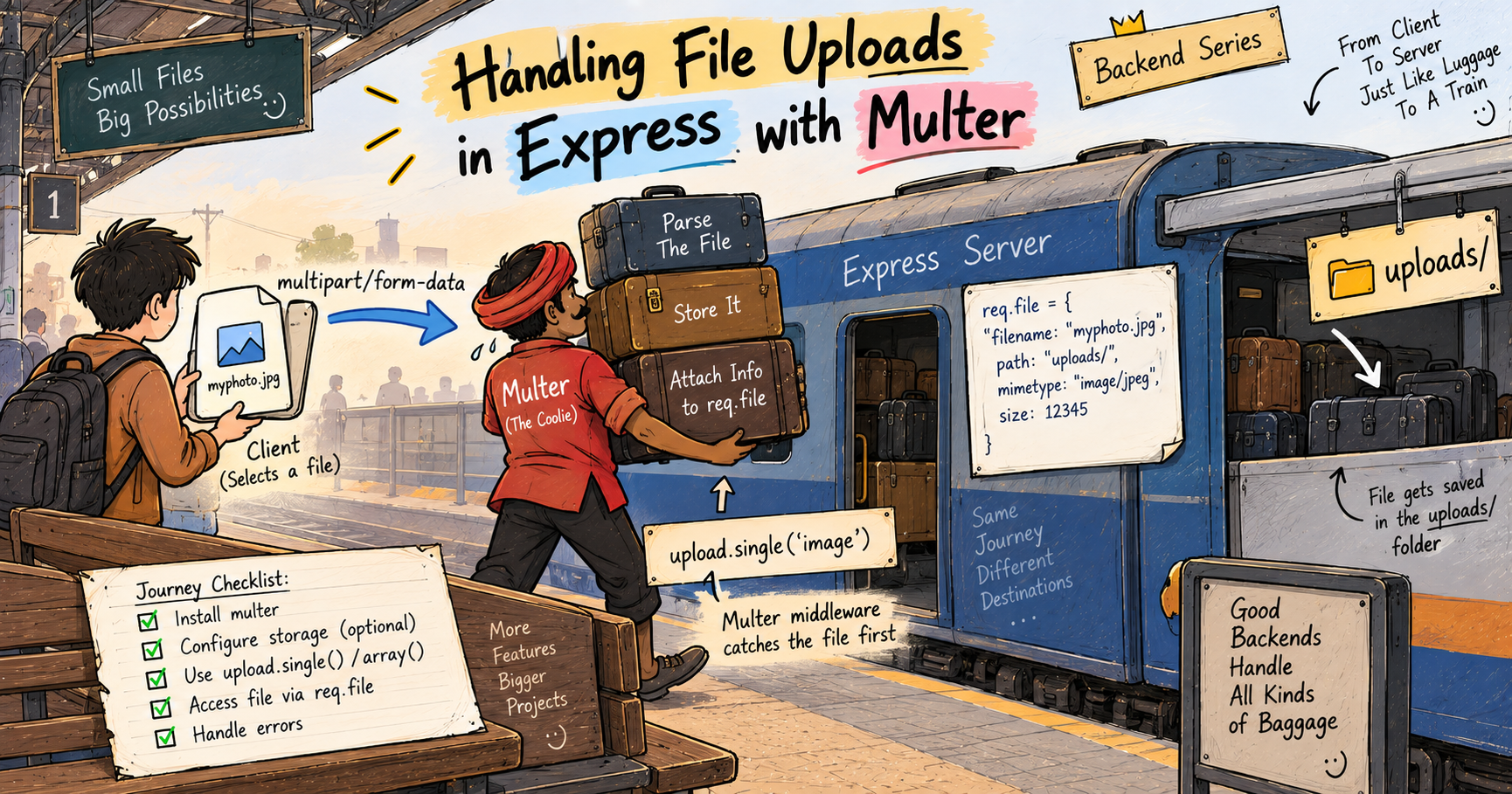
Now here is why I am telling you all this. That whole drama, my own disk running out, offloading the heavy stuff to a big outside service, and still reaching any file through a folder and a passkey, is exactly the decision you face with uploaded files on a server. In the last post, Multer saved our files into a local uploads folder. This post answers the bigger questions, where should those files actually live, how do you serve them back over a URL, and how do you keep the private ones private. Chalo shuru karte hain.
Where uploaded files are stored
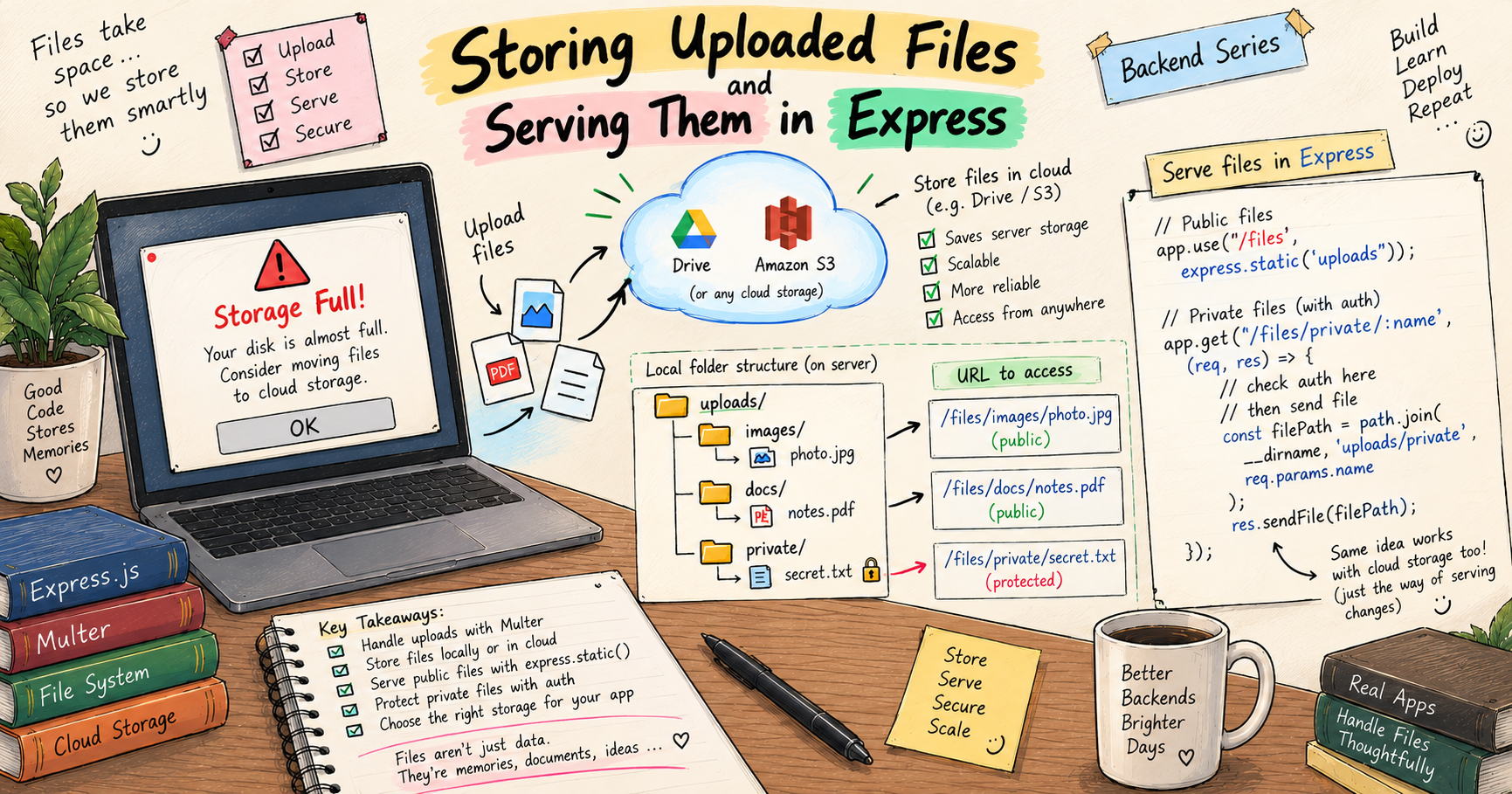
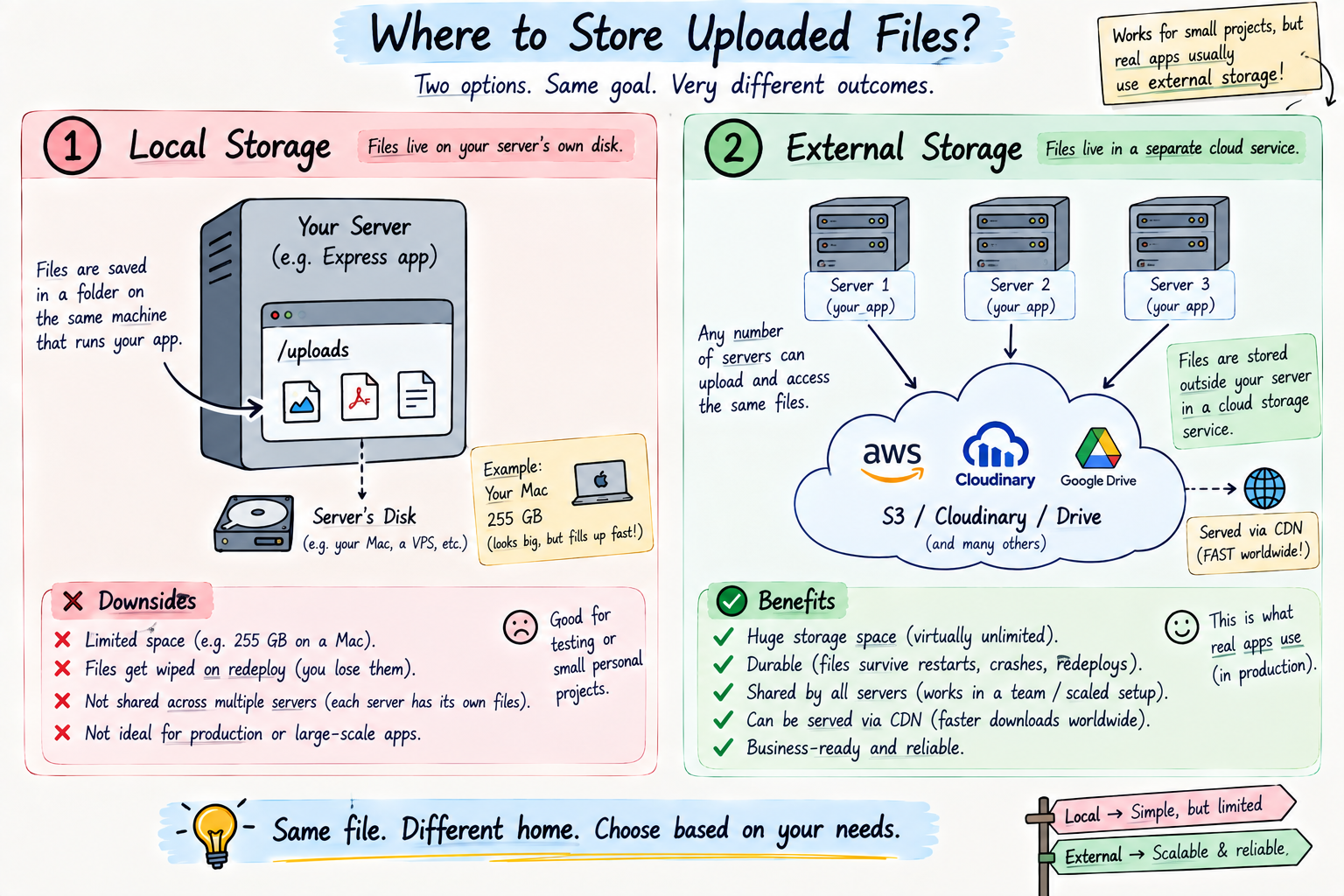
When Multer saved a file in the last post, it dropped it into a folder on your server's own disk, our uploads/ folder. That is called local storage, the files sit right there on the same machine your server runs on, just like my photos sat on my Mac's own drive.
For learning, and for small apps, this is completely fine. The file is on disk, you know exactly where it is, and you can open it. Simple. But just like my Mac, local storage has a ceiling, and that ceiling causes real problems as an app grows. Which brings us to the big decision.
Local storage vs external storage
This is the core choice, and my Mac story is the whole lesson.
Local storage means files live on your server's own disk, in a folder. It is dead simple and free to start. But it has the exact problems my 256 GB Mac had. It fills up, disk space is limited. Worse, on many modern hosting setups, when your server restarts or redeploys, that local disk gets wiped, so your uploaded files just vanish, imagine my Mac formatting itself every week. And if your app ever runs on more than one server, each server has its own separate disk, so a file uploaded to one is invisible to the others. Local storage simply does not scale.
External storage means the files live on a dedicated outside service built just for holding files, think Amazon S3 (Simple Storage Service) or Cloudinary. This is my Google Drive and iCloud. The space is effectively unlimited, so you never hit a wall. The files are safe and durable, they survive server restarts and redeploys, just like my photos are safe in Drive no matter what happens to my Mac. They can be shared across many servers at once, exactly like I share my cloud storage with my family. And they are usually served through a CDN, a Content Delivery Network, which is just a web of servers spread across the world that deliver your file fast from wherever the user is.
The simple rule. Local storage is great for learning and tiny projects. Real, production apps almost always use external storage, because files that vanish on redeploy or fill up a disk are not an option. We are keeping this at the concept level for now, actually wiring up S3 is its own topic, but understanding why you move off local disk is the important part. I moved off my Mac for the exact same reasons.
Serving static files in Express
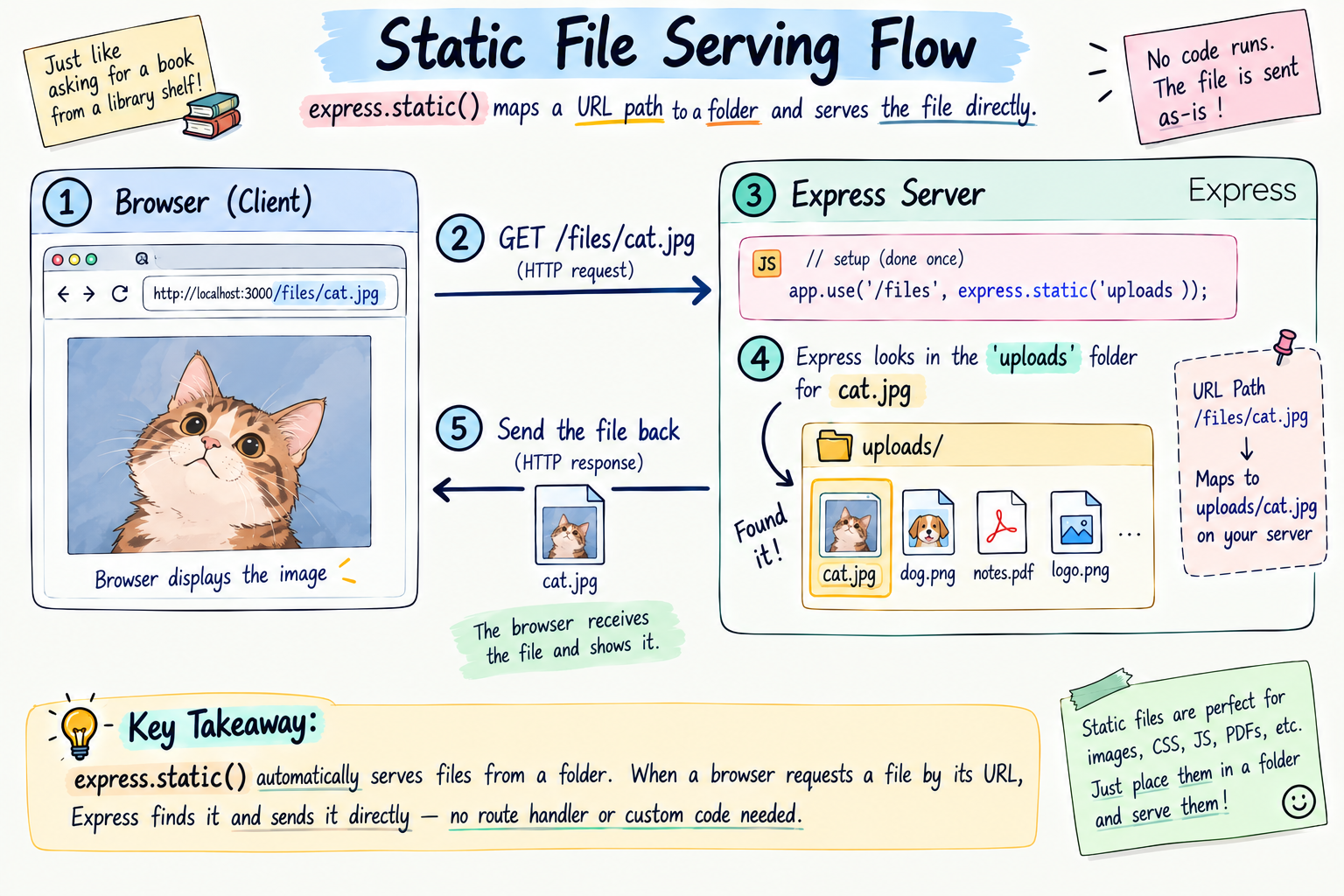
Okay, storing is one half. Now, how does a stored file actually reach the user's browser? Through static file serving.
A static file is any file that is sent as-is, an image, a PDF, a CSS file, no processing, just handed over exactly as it sits on disk. Express serves a whole folder of these with one built-in middleware, express.static, which you first met in the Multer post.
app.use("/files", express.static("uploads"));
Read what this does. It takes your uploads folder and makes everything inside it reachable under the /files URL. So a file at uploads/cat.jpg becomes openable at http://localhost:3000/files/cat.jpg. Express quietly looks in the folder, finds the matching file, and sends it back. That is the whole mechanism, point a URL path at a folder, and the folder's contents become downloadable by URL.
This is exactly how I reach my Drive, I navigate to a folder, and the file is right there to open. express.static is your server's version of that folder you can browse.
Accessing files via URL, and folder structure
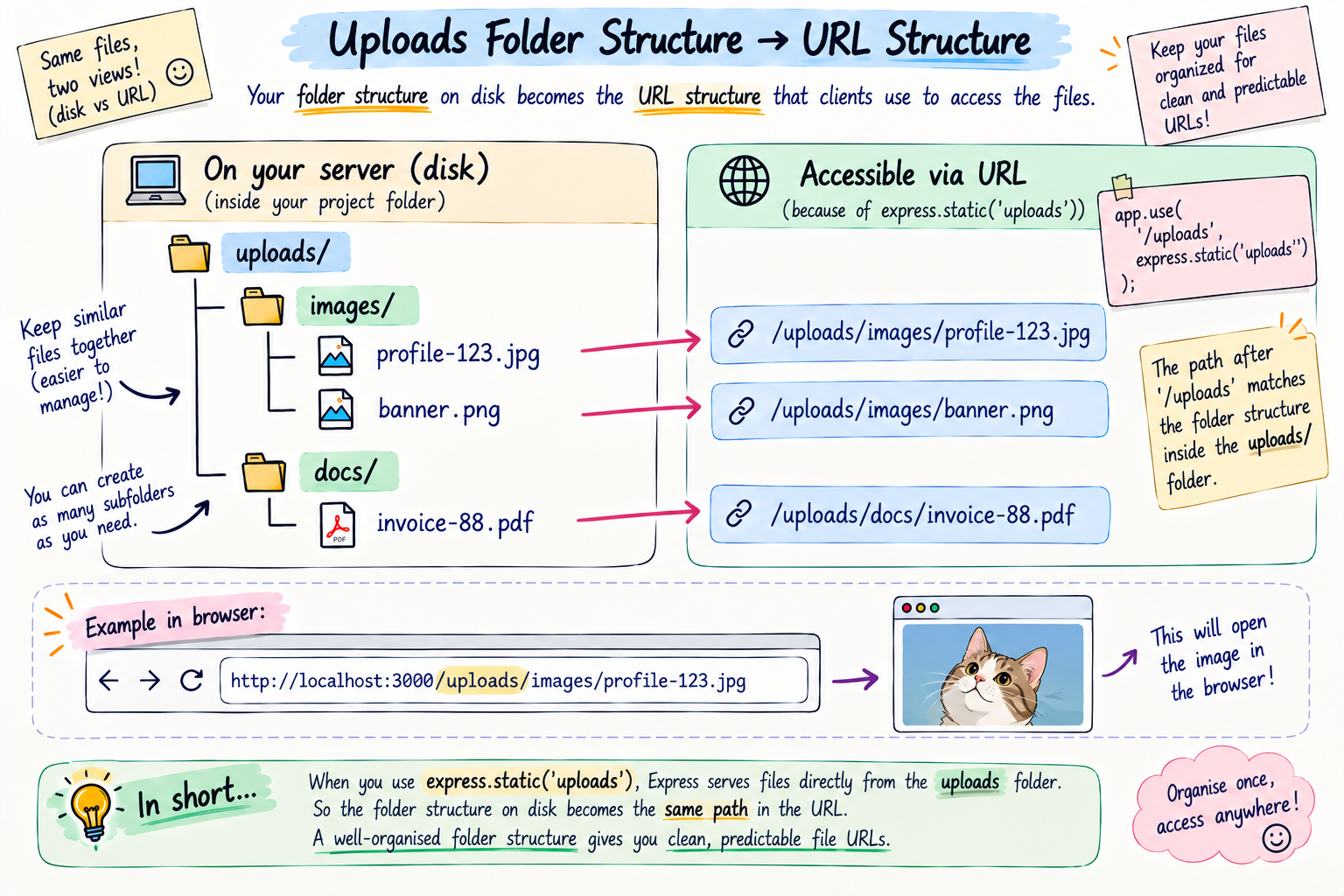
Every stored file gets a URL, and that URL is basically its address, just like every photo in my Drive lives inside a specific folder I navigate to.
As your app grows, you organise the uploads folder into subfolders, and those map straight onto the URLs.
uploads/
  images/
    profile-123.jpg      ->  /files/images/profile-123.jpg
    banner.png           ->  /files/images/banner.png
  docs/
    invoice-88.pdf       ->  /files/docs/invoice-88.pdf
See how the folder path becomes the URL path. Keeping a clean folder structure, images here, docs there, keeps your URLs clean and your storage easy to reason about, the same reason I keep separate folders in Drive instead of dumping everything in one place.
One real-world note worth planting right now, because it trips up every beginner. Your app has to remember which file belongs to whom. So after you store a file, you usually save just its path or URL in your database, right next to the user or record it belongs to, and look it up whenever you need it. The file itself lives in storage, its address lives in the database. Bas, itna yaad rakhna. That database side is coming up soon in this series, and this is exactly where files and the database meet.
Security, the part you cannot skip
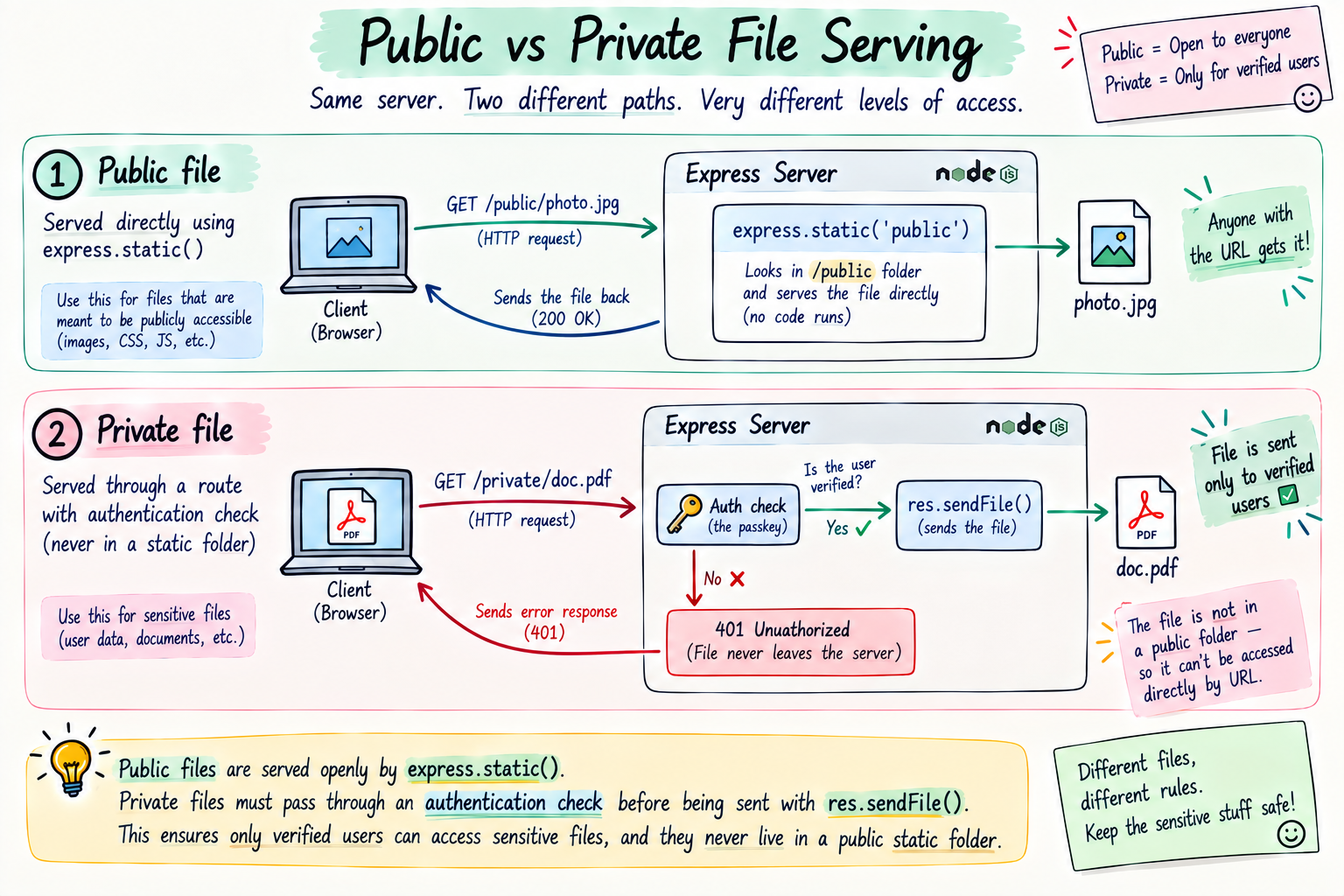
Here is the most important part, and the one beginners forget. The moment you do express.static("uploads"), every single file in that folder is public. Anyone who knows or guesses the URL can open it, no login, no check, nothing. That is perfect for public files like profile photos, but it is a disaster for private ones.
Think about my Mac. My personal photos and documents are not open to the whole world, they sit behind my passkey, and only I get in. Your server needs the same idea. So the golden rule is, do not put private files in a public static folder.
Instead, keep public and private files separate.
Public files, like profile pictures, go in a folder served openly with express.static. Anyone with the URL can see them, and that is fine.
Private files, like someone's personal documents, should never be in the static folder. You serve them through a protected route that first runs an auth check, exactly the middleware idea from a couple of posts ago, and only sends the file if the user is verified. That auth check is my passkey.
A few more safety habits worth building in:
Do not trust the filename a user gives you. A sneaky user can send a name like ../../secret.js to try and escape your folder and grab files they should not, a trick called path traversal. Always strip it down to just the base filename before using it.
Give stored files random, unique names (we did this with Date.now() in the Multer post), so nobody can guess another user's file URL just by trying numbers.
And validate the file type and size on upload, so someone cannot dump a giant or dangerous file onto your storage.
Building it in Express
Let us put it together, a public folder anyone can open, and a private one locked behind an auth check.
const express = require("express");
const path = require("path");
const app = express();

// PUBLIC files: anyone with the URL can open these (e.g. profile photos)
app.use("/public", express.static("uploads/public"));

// a simple auth check, our "passkey"
function checkAuth(req, res, next) {
  const key = req.headers["x-api-key"];
  if (key !== "secret123") {
    return res.status(401).json({ error: "Not allowed" });
  }
  next();
}

// PRIVATE files: only served after the auth check passes
app.get("/private/:filename", checkAuth, (req, res) => {
  const safeName = path.basename(req.params.filename); // strip any ../ tricks
  const filePath = path.join(__dirname, "uploads/private", safeName);
  res.sendFile(filePath);
});

app.listen(3000, () => console.log("Server on http://localhost:3000"));
Read the two halves. The public folder is wide open through express.static, good for things everyone should see. The private files are not served statically at all, they go through /private/:filename, which first runs checkAuth, and only a verified request ever reaches res.sendFile, which hands over the actual file. And notice path.basename, it throws away any folder tricks in the filename, so ../../secret just becomes secret and cannot escape the private folder. Public for public, passkey for private, exactly like my Drive.
Try it yourself
Do not just read it, khud karke dekho. Make a folder, run npm init -y and npm install express. Create two folders, uploads/public and uploads/private, and drop a test file in each, say hello.txt in public and secret.txt in private. Put the code above in index.js and run node index.js.
# public file, opens for anyone
curl http://localhost:3000/public/hello.txt

# private file with no key, blocked
curl http://localhost:3000/private/secret.txt

# private file with the key, served
curl -H "x-api-key: secret123" http://localhost:3000/private/secret.txt
Watch it. The public file opens freely, the private one is blocked until you send the key, and then it comes through. Now try the sneaky bit, curl -H "x-api-key: secret123" "http://localhost:3000/private/../index.js" and see that path.basename refuses to hand over your source file. That is security you can feel.
The mistakes that will trip you up
The storage traps that bite real apps.
Serving private files publicly. Dropping sensitive documents into a folder exposed by express.static. Anyone with the URL gets them. Keep private files out of static folders, behind an auth check.
Relying on local storage in production. Trusting your server's disk to hold uploads forever. On many hosts a redeploy wipes it, and your users' files are gone. Use external storage for anything that must last.
Trusting user filenames. Using a filename straight from the user in a file path, opening the door to path traversal. Always reduce it to path.basename first.
Guessable file URLs. Naming files 1.jpg, 2.jpg, so anyone can walk through everyone's uploads by counting. Use unique, random names.
No type or size limits. Letting users store anything of any size. Set limits so your storage does not get abused.
Quick reference, bookmark this bit
The whole post in a thirty-second scan.
Local storage is the server's own disk (simple, but limited and wiped on redeploy). External storage is a service like S3 or Cloudinary (scalable, durable, shared). Real apps use external.
// PUBLIC files: open to anyone with the URL
app.use("/public", express.static("uploads/public"));

// PRIVATE files: behind an auth check, never in a static folder
app.get("/private/:filename", checkAuth, (req, res) => {
  const safe = path.basename(req.params.filename); // block ../ tricks
  res.sendFile(path.join(__dirname, "uploads/private", safe));
});
| Concern | Do this |
|---|---|
| Serve public files | express.static(folder) |
| Serve private files | protected route + res.sendFile |
| File URLs | folder path becomes the URL path |
| Filenames | path.basename them, keep them random |
| Long-term storage | external (S3 / Cloudinary), not local disk |
The rules worth memorizing. Local disk is fine to learn, external storage is for production because local fills up and gets wiped on redeploy. express.static makes a whole folder public, so never put private files in it. Serve private files through an auth-checked route with res.sendFile. Always path.basename a user-supplied filename, and keep filenames random.
Wrapping up
So that is storing and serving files. Your uploads can sit on local disk, the server's own drive, which is simple but limited and easily wiped, my 256 GB Mac. Or they can live in external storage, a big durable service like S3 or Cloudinary, which scales and survives anything, my Google Drive and iCloud. You serve public files by pointing express.static at a folder, so the folder structure becomes the URL structure, and you serve private files through a protected route that checks auth first and only then sends the file. Random filenames and path.basename keep the sneaky stuff out.
That is really just my storage cleanup, in server form. I keep my Mac lean, my heavy personal files live safely in the cloud, the ones the world can see are shared by a simple link, and the private ones stay locked behind my passkey. Do the same for your users' files, and you have got storage that scales and stays safe.
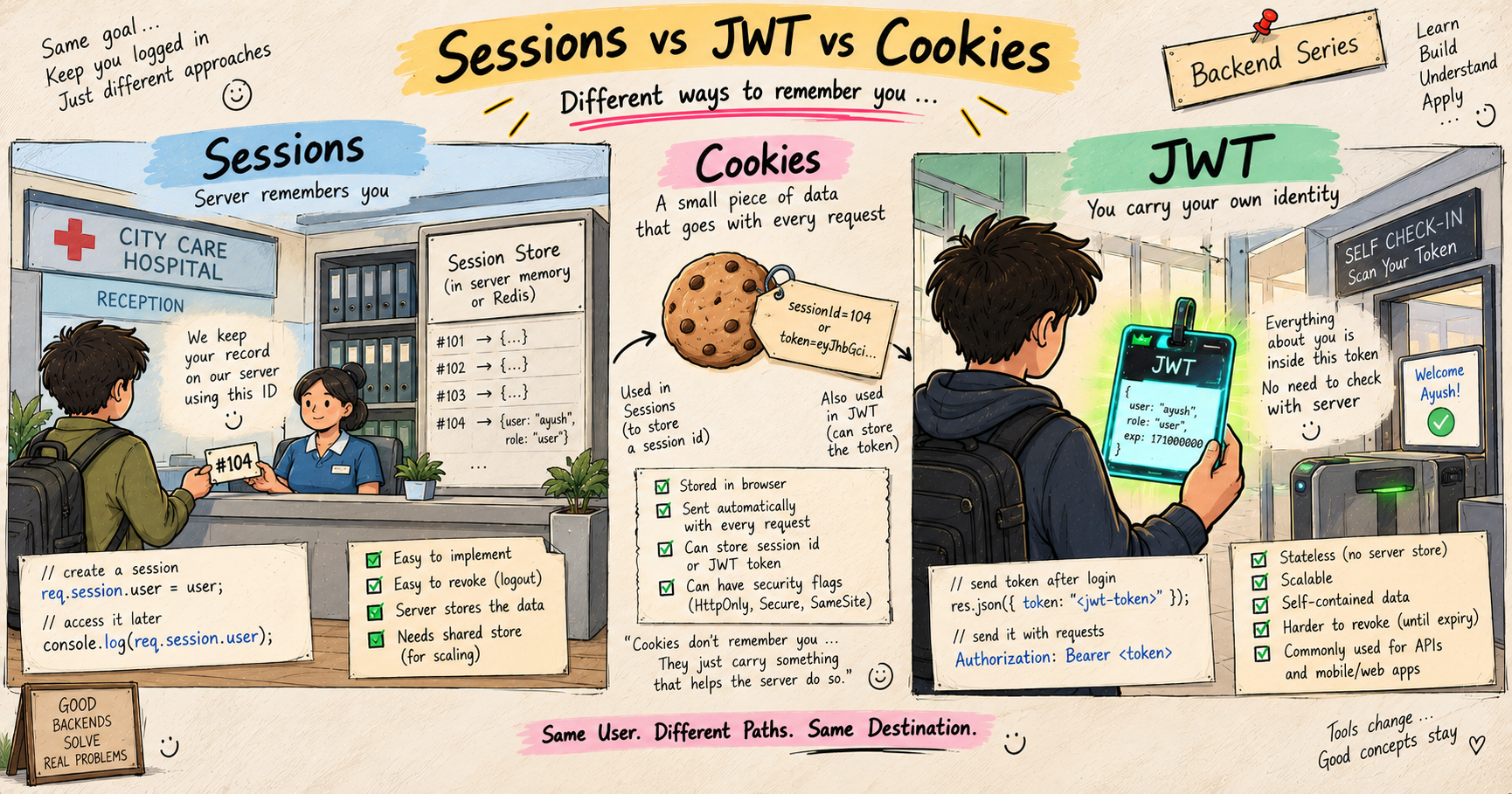
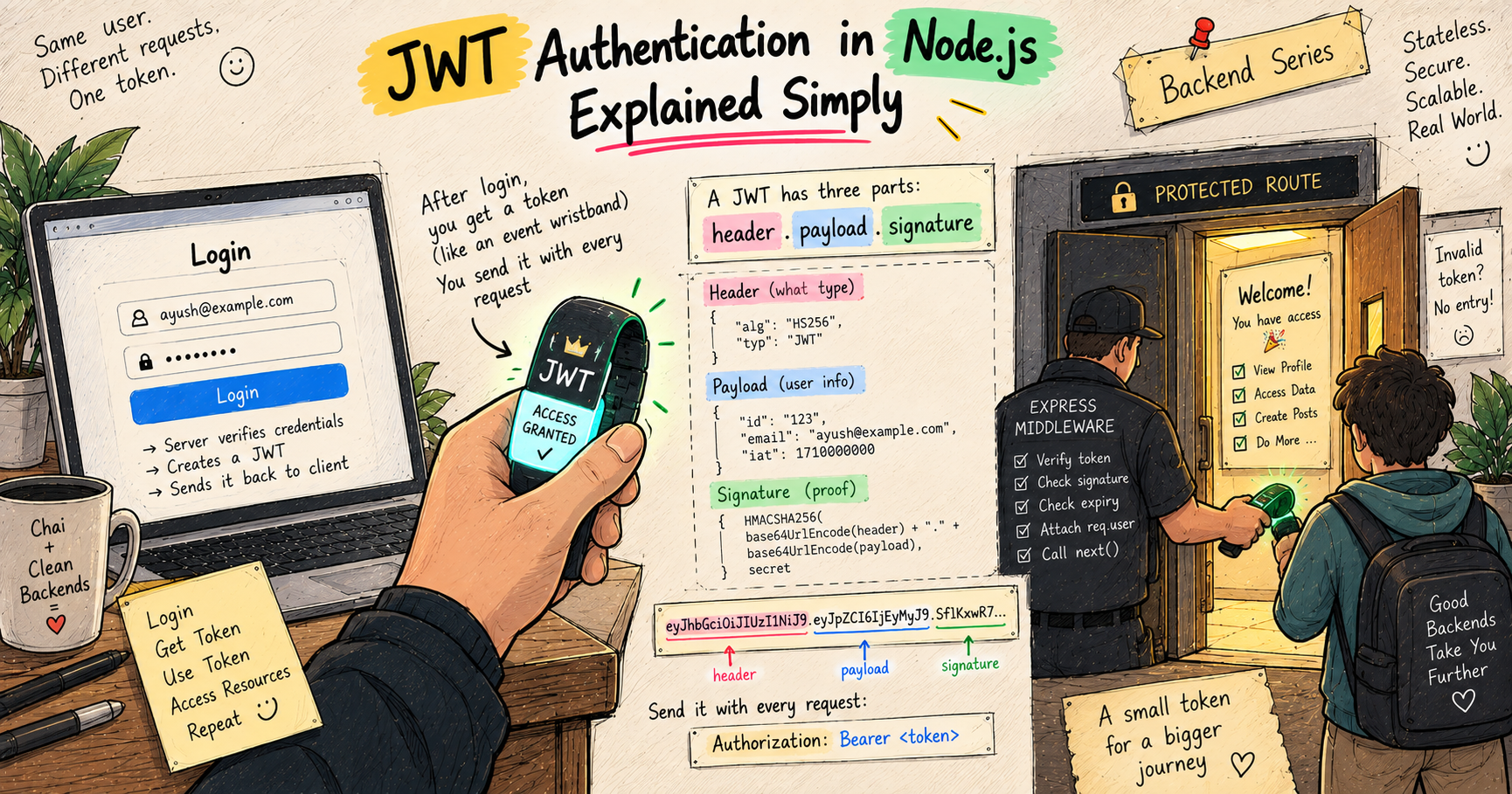
Next up, now that our app can handle files, we move to something every real backend needs, remembering who the user is across requests. That means authentication, and my next post is JWT Authentication in Node.js Explained Simply.
I hope you enjoyed reading this.