REST API Design Made Simple with Express.js
I like making things with code. This is where I share my projects and the bugs I ran into.
A few weeks back I decided to finally order a study lamp from Amazon. The reason was simple, and honestly a little guilt driven. Most of my real work happens at night, because my days are eaten up by college, and by the time I sit down to code properly, it is late. The problem was my room light. Every time I switched it on past midnight, my roommate could not sleep well. And the guy never said a single word about it, never complained even once, but I knew. Come on yaar, why should he compromise his sleep because of me, that is just not right. So a study lamp it was.
I found a decent one, around a thousand rupees, and for that price the features looked pretty good, so bas, order kar diya. It said delivery in three working days. I ordered on a Tuesday, so in my head it was arriving Thursday, Friday latest. And then began the ritual every one of us knows, opening the app again and again just to check where it had reached. Except mine got stuck at the same location for two full days. I was properly frustrated, I wanted it now, and it was already getting way too late. It finally showed up the next Monday.
But the story was not over. After using it for two days, the battery was clearly not performing anywhere close to its specs, and the body had cracked in two places. Bahut disappointing. My first instinct was to return it and get my refund. But then I went back and read the reviews again, and they were genuinely too good. So I figured this was just a faulty piece, and instead of returning it, I chose to replace it. Luckily the replacement came in three days, exactly as promised, and this time the lamp was really, really good, just what I wanted. Now my roommate sleeps peacefully and I get to work in peace. Everyone happy.
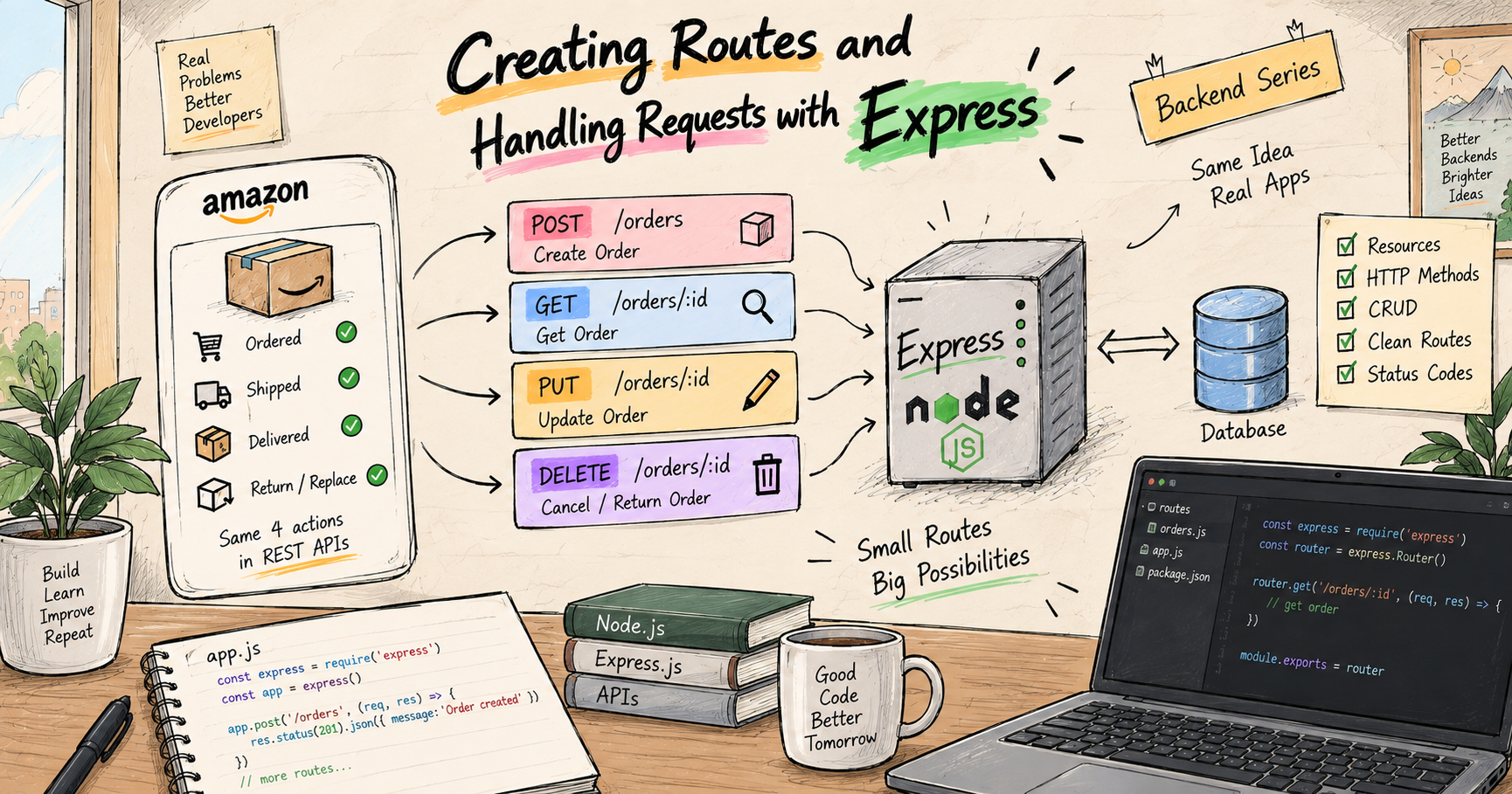
Here is why I am telling you all this. That entire order journey, placing it, tracking it, replacing it, and the return I almost did, is REST. Every one of those was a standard action performed on one thing, my order. And that, in one line, is what a REST API is: a clean, predictable set of standard actions on a resource. This post is the whole thing, from scratch. By the end you will design proper REST APIs without second-guessing yourself. Chalo shuru karte hain.
A quick refresher: what an API even is
In my last post we built an Express server and saw that a backend is just a server that waits for requests and sends back responses, the client asks, the server answers. That conversation between client and server is what an API is.
API stands for Application Programming Interface. Do not let the heavy name scare you, break it down. An interface is just a point of contact, an agreed way for two things to talk. The clearest picture is a restaurant menu. You do not walk into the kitchen and start cooking, you look at the menu, which lists exactly what you are allowed to order and how, and the waiter carries your order to the kitchen and brings the food back. You never need to know how the kitchen actually works. An API is that menu, but for software, the defined set of requests one program is allowed to make to another, without knowing what happens inside.
So when the Amazon app on my phone asked its server "place this order" or "where is my order now," it was simply ordering off Amazon's API, its menu of allowed requests. That is all an API is, the set of things a client is allowed to ask a server to do. If you want the full ground-up picture of servers, requests, and responses, my previous post, "Creating Routes and Handling Requests with Express," is the exact starting point. Here we go one level up, how to design that API well.
What REST actually means
You will hear REST thrown around constantly, and it sounds scarier than it is. REST stands for Representational State Transfer, and you can happily forget that mouthful. What matters is this: REST is just an agreed-upon style for designing APIs, a set of sensible conventions that everybody follows, so that any developer looking at your API instantly understands how to use it.
Think about my Amazon order again. I did not need a manual to place it, track it, or return it, because online shopping follows conventions I already knew. REST is that same idea for APIs. When you build a REST API the standard way, another developer can guess how it works without you explaining a thing, because it follows the shared rules. That predictability is the entire point. An API that everyone can read like a familiar map, instead of a puzzle each time.
REST is built on two simple pieces, resources and methods. Nouns and verbs. Let us take them one at a time.
Resources: the nouns of your API
A resource is the thing your API is about. It is a noun. In my story, the resource is the order. On Instagram, resources are posts, users, comments. On Amazon, they are products, orders, reviews. Almost everything you build an API for is really just a set of operations on some resource.
And here is the first real REST rule, your URLs should be built around these resource nouns, not around actions. This trips up every beginner, so look closely.
Good (noun):   /orders
Bad (verb):    /getOrders
Bad (verb):    /createNewOrder
Bad (verb):    /deleteOrderById
Notice the good one is just the noun, /orders. There is no verb in it. "But then how does the server know whether I want to fetch orders or create one," you are thinking, achha question. That is exactly the job of the HTTP method, the verb, and that is the piece that makes REST click.
HTTP methods: the verbs
Back in the last post you met GET and POST. These are HTTP methods, and since we lean on them the whole way, one quick expansion: HTTP stands for HyperText Transfer Protocol, which is just the standard set of rules clients and servers follow to talk to each other over the web. REST uses four main HTTP methods, and each one is a verb, a different action you can perform on the same resource noun.
GET means read, fetch, just look. Tracking my order, opening its status, that is a GET. It never changes anything, it only reads.
POST means create, make something new. Hitting that final "Place Order" button, that is a POST. A new order gets created on the server.
PUT means update, change something that already exists. This is exactly my replacement. My order existed, but I swapped the faulty lamp for a fresh one, I updated it.
DELETE means remove. The return-for-refund I almost did, that would have deleted my order from the picture entirely.
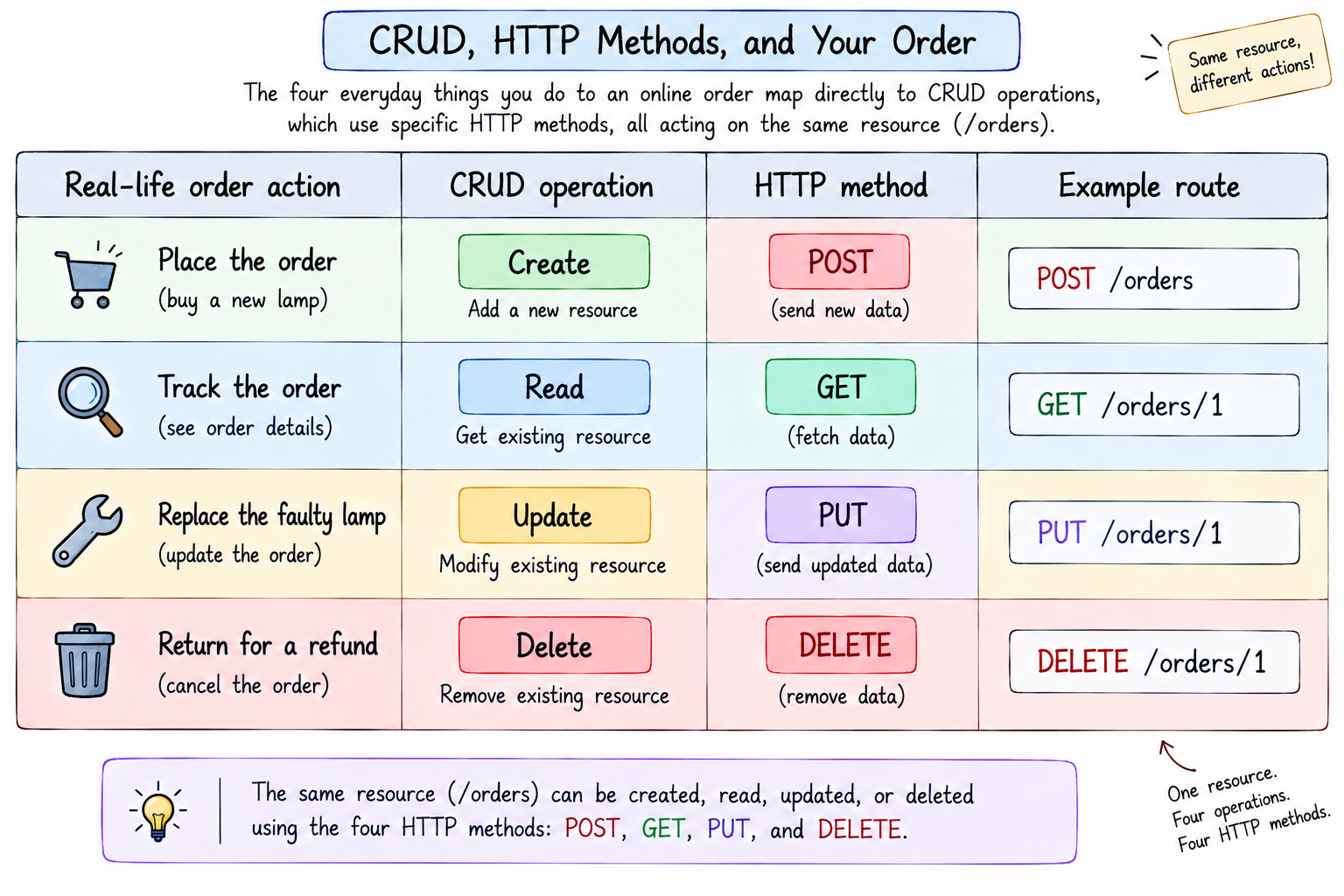
And look at the beauty of what just happened. My whole real-life order journey was these four verbs acting on one noun. That is not a coincidence, that is REST.
POST   /orders     place a new order      (Create)
GET    /orders     see all my orders      (Read)
GET    /orders/1   track one order        (Read)
PUT    /orders/1   replace / update it    (Update)
DELETE /orders/1   cancel / return it     (Delete)
Read that block slowly, because it is the heart of this entire post. Same noun, /orders, over and over. What changes is the verb in front. The method decides the action, so the URL never needs a verb in it. That is why /getOrders is wrong, the GET already says "get."
One tiny extra you will hear about, PATCH. PUT usually means "update the whole thing," while PATCH means "update just one field." As a beginner, use PUT for updates and know PATCH exists for small partial changes. Bas, itna kaafi hai for now.
CRUD, the four actions behind everything
You just saw the word CRUD in that table, so let me name it properly, because you will hear it forever. CRUD stands for Create, Read, Update, Delete, the four basic things you can do to almost any data. Create a new record, read existing ones, update one, delete one.
That is it. Nearly every app you have ever used is CRUD underneath. Posting a photo is Create, scrolling your feed is Read, editing your bio is Update, removing a comment is Delete. And REST is simply the standard way to expose CRUD over the web, each CRUD action mapped to its HTTP method. Create is POST, Read is GET, Update is PUT, Delete is DELETE. Learn this one mapping and eighty percent of REST is already in your pocket.
Designing clean routes, the REST way
Now let us turn this into actual route design, the naming rules that make an API look professional and predictable. These are simple, but following them is what separates a clean API from a messy one.
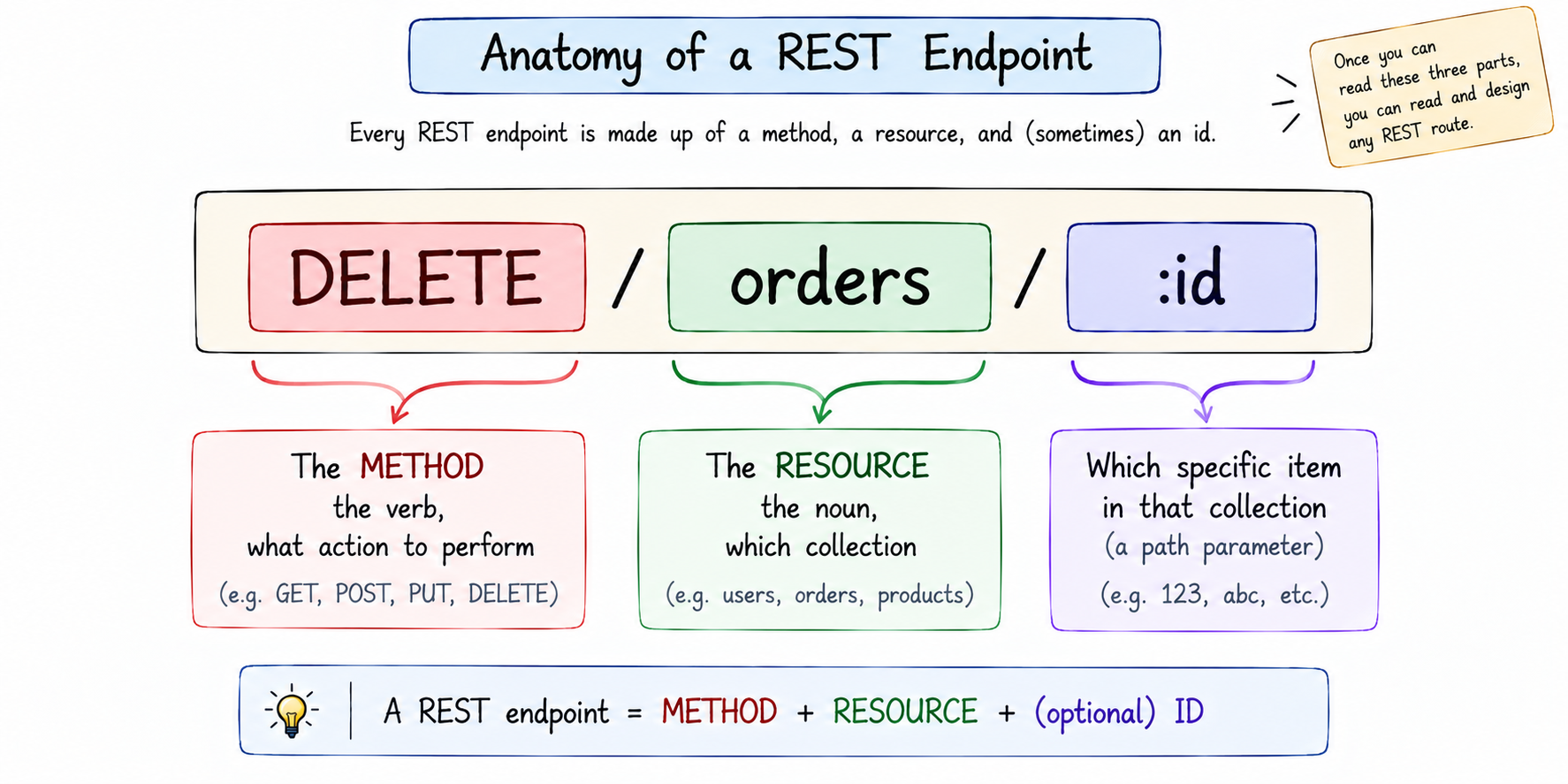
Quick word you will hear everywhere, endpoint. Each method-plus-path combination your API exposes, like GET /orders/1, is called an endpoint, a single door into your API. Designing a REST API is really just designing its endpoints well.
Use nouns, and make them plural. Your resource is a collection of things, so /orders, /users, /products. Not /order, not /getOrder. Plural nouns, consistently.
Two levels: the collection and the single item. /orders means the whole collection, all orders. /orders/1 means one specific order, the one with id 1. This pairing is the backbone of REST routing.
GET    /orders      all orders
GET    /orders/1    just order number 1
POST   /orders      add a new order to the collection
PUT    /orders/1    update order number 1
DELETE /orders/1    remove order number 1
Let the method carry the action, never the URL. Since GET, POST, PUT, DELETE already say what you are doing, the URL stays a clean noun. This is the rule people break most, so keep repeating it to yourself, the verb lives in the method, not the path.
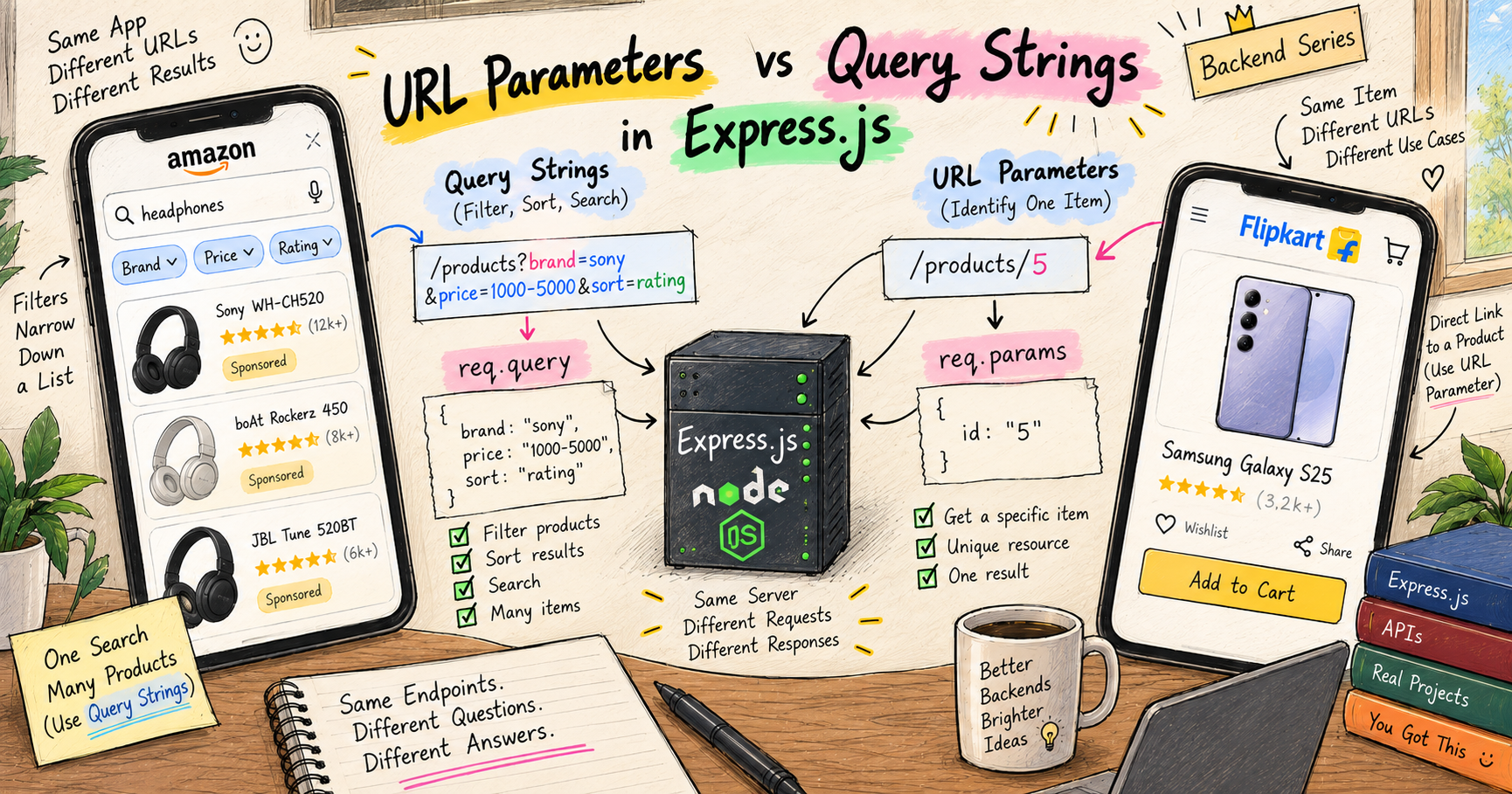
That /orders/1, where the 1 is a live value that changes per order, uses something called a route parameter. I am giving route parameters and query strings their own full post next, so here just read /orders/:id as "an order by its id" and know the details are coming.
Status codes, the server's way of saying how it went
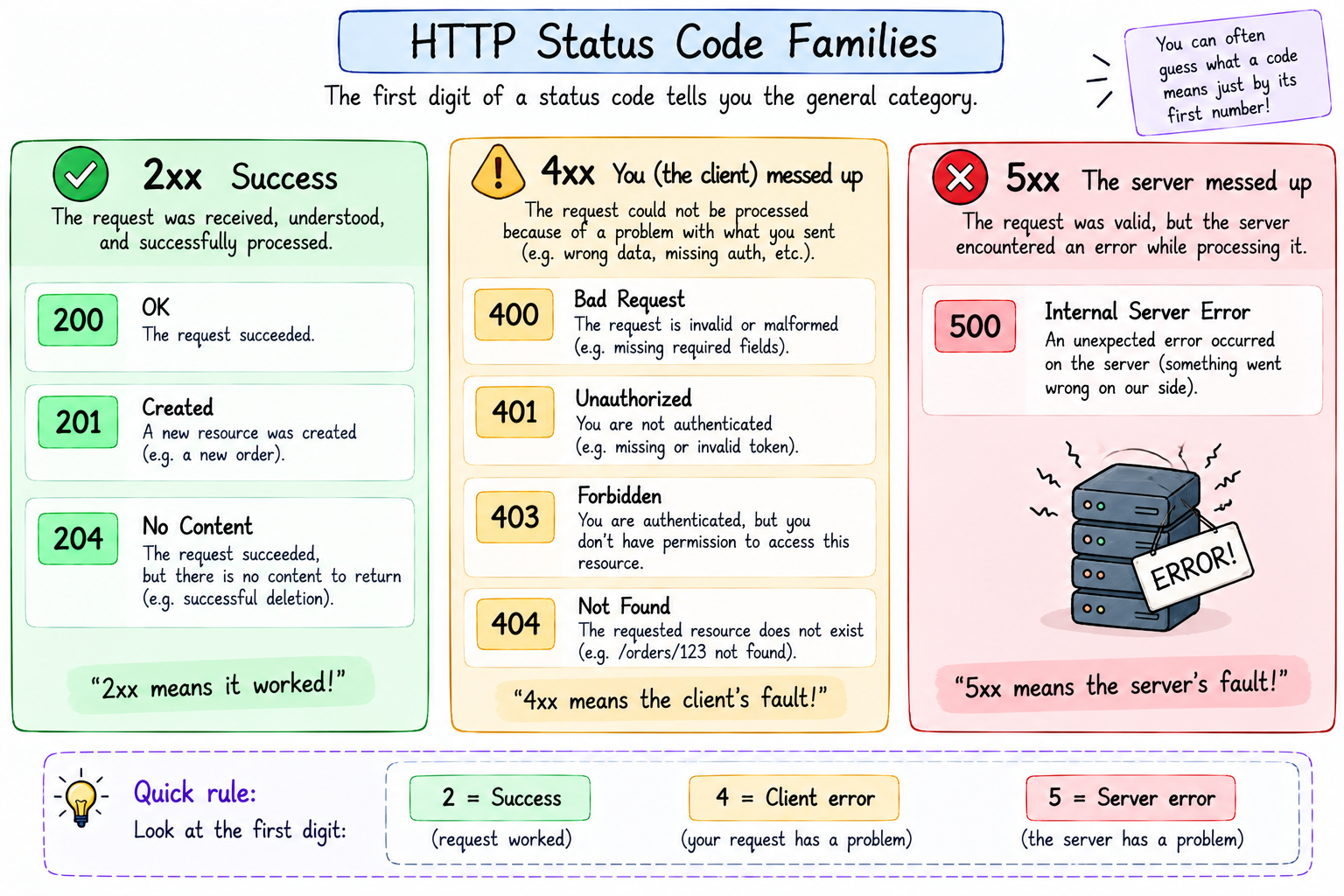
Here is the IOU I promised in the last post. Every response carries a status code, a three digit number that tells the client how the request went, before they even read the body. You do not memorise all of them, you learn the families, and they map perfectly onto my order experience.
2xx means success, all good. 200 OK is the everyday "here you go," what you get when tracking an order works. 201 Created is the specific "something new was made," the perfect reply when an order is placed. 204 No Content means "done, and I have nothing to send back," often used after a delete.
4xx means the client made a mistake. 400 Bad Request is "you sent me something wrong," like a malformed order. 401 Unauthorized and 403 Forbidden are "you are not logged in" and "you are not allowed." And the famous 404 Not Found is "that thing does not exist," exactly what your server should say if someone asks for an order id that was never placed.
5xx means the server itself broke. 500 Internal Server Error is "something crashed on my side, not your fault." When you see a 5xx, the bug is in the server code, not the request.
The simple mental model, 2xx you succeeded, 4xx you messed up, 5xx the server messed up. Send the right code and any client instantly understands the outcome, no guessing.
Building the whole thing in Express
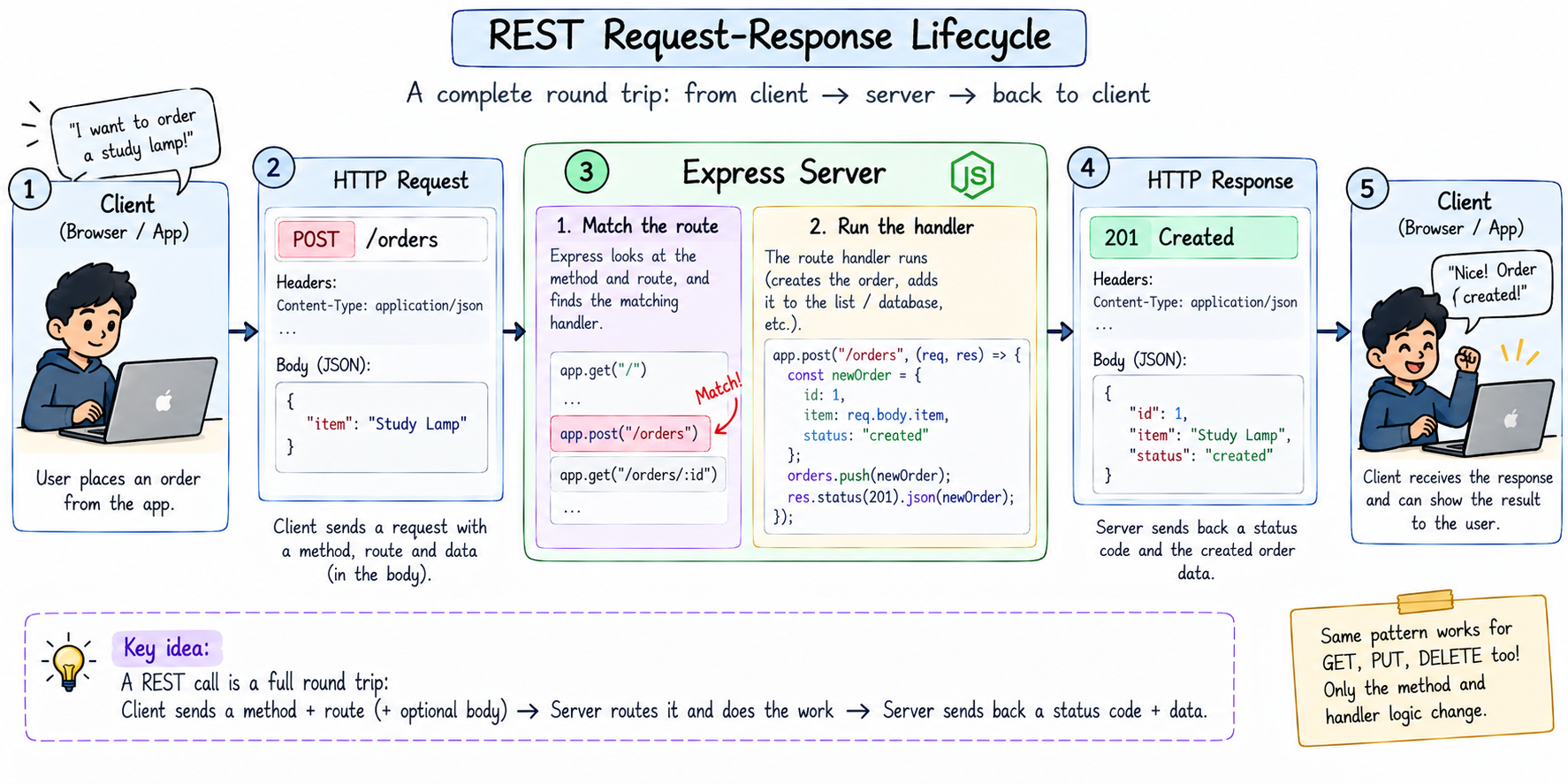
Enough theory, let us build a real REST API for our orders resource, with all four methods and proper status codes. This is every rule above turned into working code. I am using a simple in-memory list for the data, just like the last post, so the focus stays on the REST design.
const express = require("express");
const app = express();
app.use(express.json());

// our data, a simple in-memory list
let orders = [
  { id: 1, item: "Study Lamp", price: 1000, status: "placed" }
];
let nextId = 2;

// READ all orders
app.get("/orders", (req, res) => {
  res.status(200).json(orders);
});

// READ one order by id
app.get("/orders/:id", (req, res) => {
  const order = orders.find((o) => o.id === Number(req.params.id));
  if (!order) return res.status(404).json({ error: "Order not found" });
  res.status(200).json(order);
});

// CREATE a new order
app.post("/orders", (req, res) => {
  const newOrder = { id: nextId++, ...req.body, status: "placed" };
  orders.push(newOrder);
  res.status(201).json(newOrder);
});

// UPDATE an existing order (my replacement)
app.put("/orders/:id", (req, res) => {
  const order = orders.find((o) => o.id === Number(req.params.id));
  if (!order) return res.status(404).json({ error: "Order not found" });
  Object.assign(order, req.body);
  res.status(200).json(order);
});

// DELETE an order (the return I almost did)
app.delete("/orders/:id", (req, res) => {
  const exists = orders.some((o) => o.id === Number(req.params.id));
  if (!exists) return res.status(404).json({ error: "Order not found" });
  orders = orders.filter((o) => o.id !== Number(req.params.id));
  res.status(200).json({ message: "Order removed" });
});

app.listen(3000, () => console.log("Server on http://localhost:3000"));
Walk through it and you will see every concept from this post sitting right there. Five routes, one resource. The method decides the action, the URL stays a clean noun. Each one sends a sensible status code, 201 when we create, 404 when the order does not exist, 200 when all is well. This is a complete, correct little REST API. Ye dekh ke lagta hai simple, and that is exactly the goal, REST done right looks obvious.
Notice the shape of each handler too, it is always the same story from post one, read what came in on req, do the work, send one response on res. REST just gives that a clean, predictable structure across all your routes.
One honest simplification to name, so you are never caught out. Strictly, a PUT is meant to replace the entire record, while changing only a field or two is really PATCH's job. Our update handler does a quick merge of whatever you send, which is the common beginner-friendly shortcut and works perfectly well to start. Just know the strict distinction exists, and you can tighten it later when you need to.
The REST mistakes that will trip you up
Every beginner makes these, and each one breaks the "predictable" promise that makes REST worth using. Spot them early.
Putting verbs in the URL. Writing /getOrders or /createOrder or /deleteOrder. The method already says the verb, so the URL must stay a plain noun, /orders. If you see a verb in your path, something is off.
Using GET to change data. A GET must only read, never modify. Do not make a GET /deleteOrder/1 that actually deletes. It is unsafe and surprising, since GETs get cached, prefetched, and retried by browsers, and one day something will silently delete data on its own. Deleting is what DELETE is for.
Returning 200 for everything. Sending 200 OK even when the order was not found, or when the client sent garbage. The status code is a promise about the outcome, so an error must carry a 4xx or 5xx. Lying with a 200 makes your API impossible to trust.
Forgetting the not-found case. Looking up /orders/999 when no such order exists and letting the code crash or return undefined. Always check, and send a clean 404 if it is missing, exactly like the guard clauses in our code above.
Inconsistent resource names. Mixing /orders here and /order or /orderList there. Pick one convention, plural nouns, and stick to it across every route. Consistency is the entire point of REST.
None of these are hard to avoid once you know them, and dodging them is what makes your API feel professional instead of homemade.
Try it yourself
Do not just read it, khud banao. Make a folder, run npm init -y and npm install express, drop the orders API above into index.js, and run it with node index.js.
Now exercise all four verbs. See all orders in your browser at http://localhost:3000/orders, that is your GET. Then use curl (a small terminal tool for firing requests) or Postman (a friendly app that does the same with clicks) for the rest.
# create a new order (POST)
curl -X POST http://localhost:3000/orders -H "Content-Type: application/json" -d '{"item":"Desk Chair","price":2500}'

# read one order (GET)
curl http://localhost:3000/orders/1

# update an order (PUT)
curl -X PUT http://localhost:3000/orders/1 -H "Content-Type: application/json" -d '{"status":"replaced"}'

# delete an order (DELETE)
curl -X DELETE http://localhost:3000/orders/2
Watch the status codes and responses. Create one and see 201, ask for an id that does not exist and see your 404, update one and watch it change on the next GET. Play with it until sending the right method to the right route feels natural, because that instinct is the whole skill.
Quick reference, bookmark this bit
The entire post in a form you can scan in thirty seconds before an interview or mid-project.
The REST mindset: a resource is a noun (orders), a method is the verb (get, post, put, delete), and a clean API is just verbs acting on noun URLs.
CRUD to HTTP methods, the mapping to burn in.
| CRUD | HTTP method | Example route | Real-life order action |
|---|---|---|---|
| Create | POST | POST /orders |
Place the order |
| Read | GET | GET /orders or GET /orders/:id |
Track the order |
| Update | PUT | PUT /orders/:id |
Replace the faulty lamp |
| Delete | DELETE | DELETE /orders/:id |
Return for a refund |
Route naming rules.
| Do this | Not this |
|---|---|
/orders (noun, plural) |
/getOrders (verb in URL) |
GET /orders/1 |
/getOrderById?id=1 |
| Method carries the action | Action stuffed into the path |
Status codes worth knowing.
| Code | Meaning |
|---|---|
| 200 | OK, success |
| 201 | Created, after a POST |
| 204 | No content, often after a DELETE |
| 400 | Bad request, the client sent something wrong |
| 401 / 403 | Not logged in / not allowed |
| 404 | Not found, that resource does not exist |
| 500 | Server error, the code crashed |
The rules worth memorizing. URLs are nouns, methods are verbs. Create is POST, Read is GET, Update is PUT, Delete is DELETE. Plural resource names, always. /orders is the collection, /orders/:id is one item. And status codes come in families, 2xx worked, 4xx client's fault, 5xx server's fault.
Wrapping up
So that is REST API design, made simple. A REST API is nothing more than a clean, predictable set of standard actions on a resource. The resource is your noun, /orders, and the HTTP method is your verb, GET to read, POST to create, PUT to update, DELETE to remove, the exact four things I did to my Amazon order. Keep your URLs as plural nouns, let the method carry the action, and send honest status codes so the client always knows how it went. Follow these conventions and any developer, anywhere, can read your API like a familiar map.
That is really the same thing as my order experience. I never needed instructions to place, track, replace, or return my lamp, because online shopping follows conventions I already knew. A good REST API gives other developers that exact comfort. And the lamp itself? The replacement is perfect, my roommate finally sleeps through the night, and I code in peace, which was the whole point of ordering it in the first place.
Next up, we zoom into that :id you saw in the routes. That is a route parameter, and alongside its cousin the query string, it is how your API handles specific items and filters. That is my next post, URL Parameters versus Query Strings in Express.
I hope you enjoyed reading this.